Your collabs, always in sync.
The app that makes collabing simple.
Download for MacFree on Mac during alpha
 FL Studio
 Logic Pro
 Ableton Live
The app that makes collabing simple.
Download for MacFL StudioLogic ProAbleton Live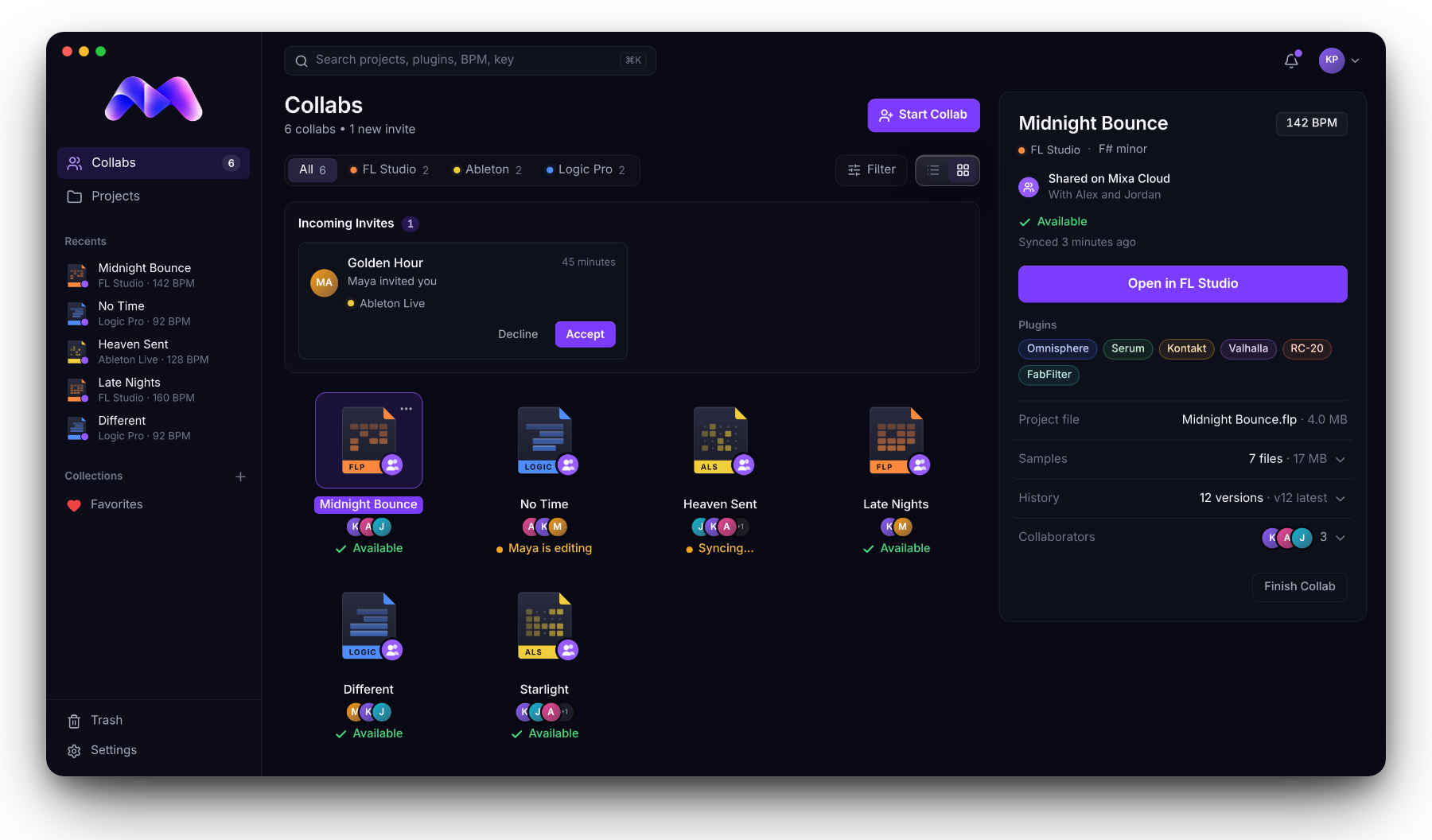
Before / after
Which one is the latest?

It says Available. That's the latest.
How it works
No new way of working. You stay in your own DAW the whole time.
Open the project from Mixa. Everyone else sees you're editing.
Make music the way you always do.
Hit Save like always. Mixa syncs it.
Quit your DAW or click Finish Editing. It says Available, and your collaborator opens your latest version.
Built for sessions
While you're in a project, it's yours. Everyone else sees your name on it and waits for Available.
No more guessing between "final" and "final_real". When it says Available, you're opening the newest save.
Free while Mixa is in alpha. Plans are coming soon.
FAQ
Yes. Everyone in a collab uses the same DAW, because Mixa doesn't convert between them. The same version helps too, and Mixa warns you when a song was saved in a newer one.
On your computer. Only the projects you're collaborating on sync through Mixa Cloud.